Junie GitLab CI/CD
Run AI tasks from GitLab issues or MRs with Junie GitLab CI/CD.
How it works
Junie GitLab CI/CD integrates Junie into your GitLab CI/CD pipelines.
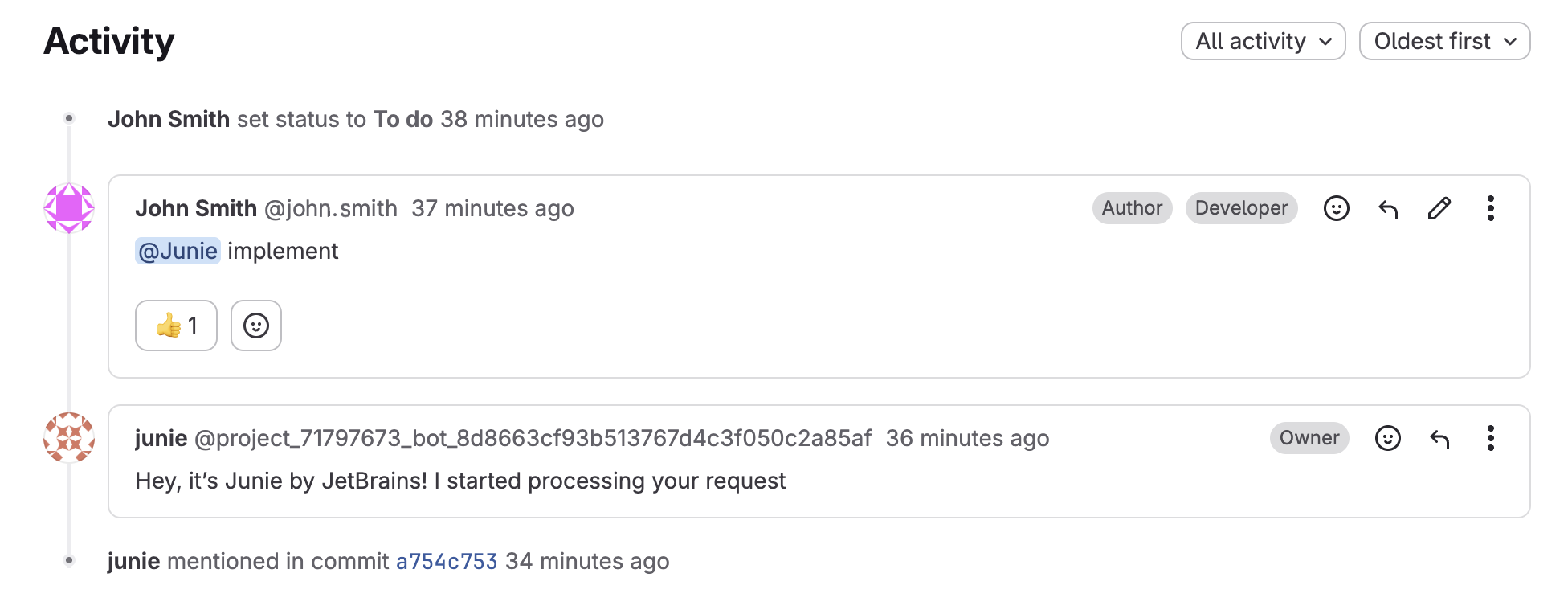
When you tag #junie in a comment to a GitLab issue or merge request, the agent is invoked to run the task. Junie runs a CI pipeline to execute the task, creates a new Merge Request with the changes, and posts a comment with a link to the created MR.
Why use Junie GitLab CI/CD?
Delegate tasks to Junie: Junie creates merge requests with code changes from issue comments.
Have Junie review MRs: Tag and instruct
#juniein a comment to an existing merge request to have the agent review and fix the changes before merging.Fix issues in projects without opening the IDE: When running the task, the agent is aware of your entire project structure, agent guidelines, and existing code patterns the same way as it would when working directly in the IDE.
Iterate on tasks with follow-up instructions: The MR submitted by Junie needs another iteration? Tag
#juniein a comment to it and provide follow-up instructions.Work on multiple tasks at a time: Junie GitLab CI/CD can work on multiple tasks simultaneously, excluding parallel runs on the same MR branch.
Setup
The setup process requires creation of a separate container project for Junie's CI/CD pipelines (one per GitLab instance). This allows you to run Junie without tweaking the CI/CD pipelines in your existing projects.
Step 1: Set up a project for Junie
Create a new empty GitLab project.
Add the following environment variables in the project's Settings → CI/CD → Variables:
JUNIE_API_KEYwith your API token for Junie. To generate the token, go to junie.jetbrains.com/cli.Alternatively, instead of
JUNIE_API_KEY, you can use your own API key from a third-party LLM provider (BYOK). Add one of the following variables:JUNIE_OPENAI_API_KEY,JUNIE_ANTHROPIC_API_KEY,JUNIE_GROK_API_KEY,JUNIE_OPENROUTER_API_KEY, orJUNIE_GOOGLE_API_KEY.GITLAB_TOKEN_FOR_JUNIEwith a GitLab access token. Choose the setup that matches your token type and GitLab version:Personal access tokens on any GitLab version, or group access tokens on GitLab versions earlier than 19: use a personal or group access token, respectively, and store it in
GITLAB_TOKEN_FOR_JUNIE. The user or bot associated with the token needs at least the Maintainer role in each project where Junie will be invoked. In the project that runs Junie's CI/CD pipelines, Maintainer is sufficient for basic functionality, but Owner is required to automatically delete completed pipelines.If you choose a fine-grained personal access token, make sure the user who owns the token has the following permissions for initialization and cleanup, and that the token grants access to them:
In each project where Junie will be invoked:
Read and create webhooks.
Create project access tokens.
In the project that runs Junie's CI/CD pipelines:
Read, create, and delete pipeline trigger tokens. Initialization deletes existing Junie trigger tokens before creating a replacement if the project's Junie webhook is missing.
Delete pipelines, if you use automatic pipeline cleanup. The Owner role alone does not grant this permission to a fine-grained token.
Service accounts on GitLab 19 and later: use a service account instead of a group access token:
Create a new service account in your GitLab group.
Create an access token for the service account and store it in
GITLAB_TOKEN_FOR_JUNIE.Add the service account to the project that runs Junie's CI/CD pipelines with the Owner role. The Maintainer role is sufficient for basic functionality, but Owner is required to automatically delete completed pipelines.
Add the service account to each project where Junie will be invoked with the Maintainer role.
For tokens other than fine-grained personal access tokens, select api under Selected scope when creating the token. Select
initfrom the variable's Environments dropdown to make it available to thejunie-initandjunie-cleanupjobs, which use this environment.
Add a
.gitlab-ci.ymlfile with the following contents to the project:
Step 2: Initialize Junie in your project
In Junie's project, go to Build → Pipelines and click New pipeline.
On the Run new pipeline page that opens, fill in the Variable value for the
PROJECTS_TO_INITVariable key with a comma-separated list of IDs for the projects where Junie needs to be initialized. For a project's ID, go to its Settings → General page.
Click the New pipeline button to open the new pipeline's page and run it.

Once the pipeline run is finished, make sure that the target projects have a webhook for triggering pipelines in Junie's project (Settings → Webhooks) and an access token allowing Junie to access the project's repository, MRs, or issues (Settings → Access tokens).


Use Junie GitLab CI/CD
Basic usage
Type #junie or tag the Junie by JetBrains bot in an issue comment, followed by the description of what needs to be done.


Code reviews
Junie will perform a code review with a pre-defined prompt for any opened merge request automatically.

To customize the prompt for automatically triggered reviews, adjust the
JUNIE_CUSTOM_PROMPTvariable in the.gitlab-ci.ymlconfiguration file.To disable automated code reviews, uncheck the Merge request events checkbox in the Junie webhook's settings.
To trigger a code review in an existing merge request on demand, leave a comment tagging Junie along with the
code-reviewkeyword.