GitHub Copilot
GitHub Copilot lets you use your existing GitHub Copilot subscription to power Junie CLI. Unlike other BYOK providers that require an API key, GitHub Copilot authenticates through the GitHub Copilot CLI installed on your machine — Junie CLI reuses its sign-in and resolves the available models and endpoint from it.
Prerequisites
GitHub Copilot CLI: the GitHub Copilot CLI must already be installed on your local machine, version
1.0.65or newer. Older versions lack the methods Junie CLI relies on and will be reported as outdated.GitHub account with an active subscription: use an account with an active GitHub Copilot subscription (Individual, Business, or Enterprise). For terminal setup, sign in to the Copilot CLI first. The dedicated ACP authentication method can initiate GitHub sign-in when needed.
Enabled models: the models you want to use must be explicitly enabled in your GitHub Copilot settings. Go to github.com/settings/copilot and enable the desired models under the Models section. Models that are not enabled on the website will not be available in Junie CLI.
Set up GitHub Copilot in Junie CLI
Start Junie CLI in your project directory:
junieRun the
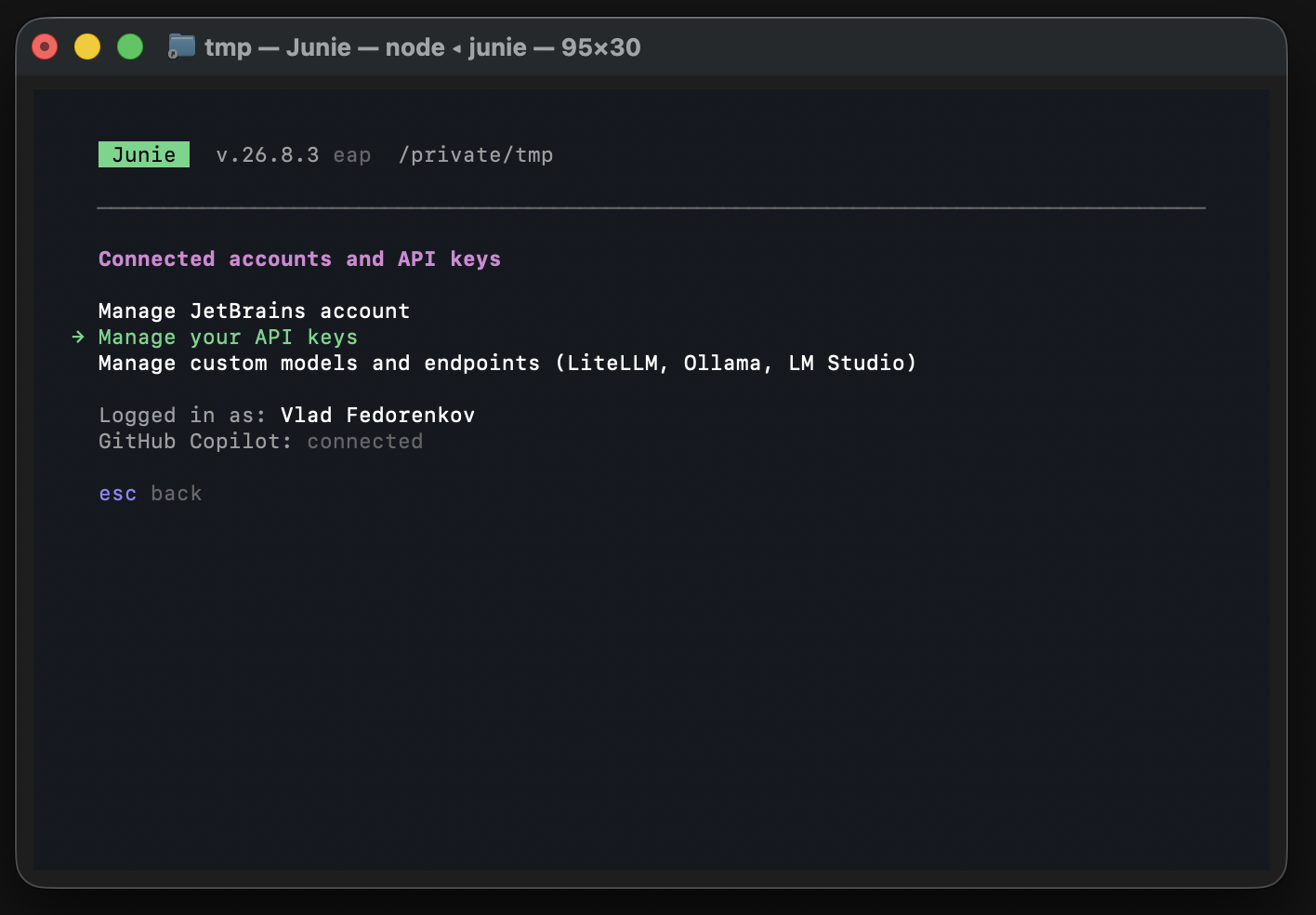
/accountcommand and select the BYOK option. If you have not added any API keys yet, it is labeled Use your own API key (OpenAI, Anthropic, Google, xAI, OpenRouter, GitHub Copilot); if you already have keys configured, it is labeled Manage your API keys.
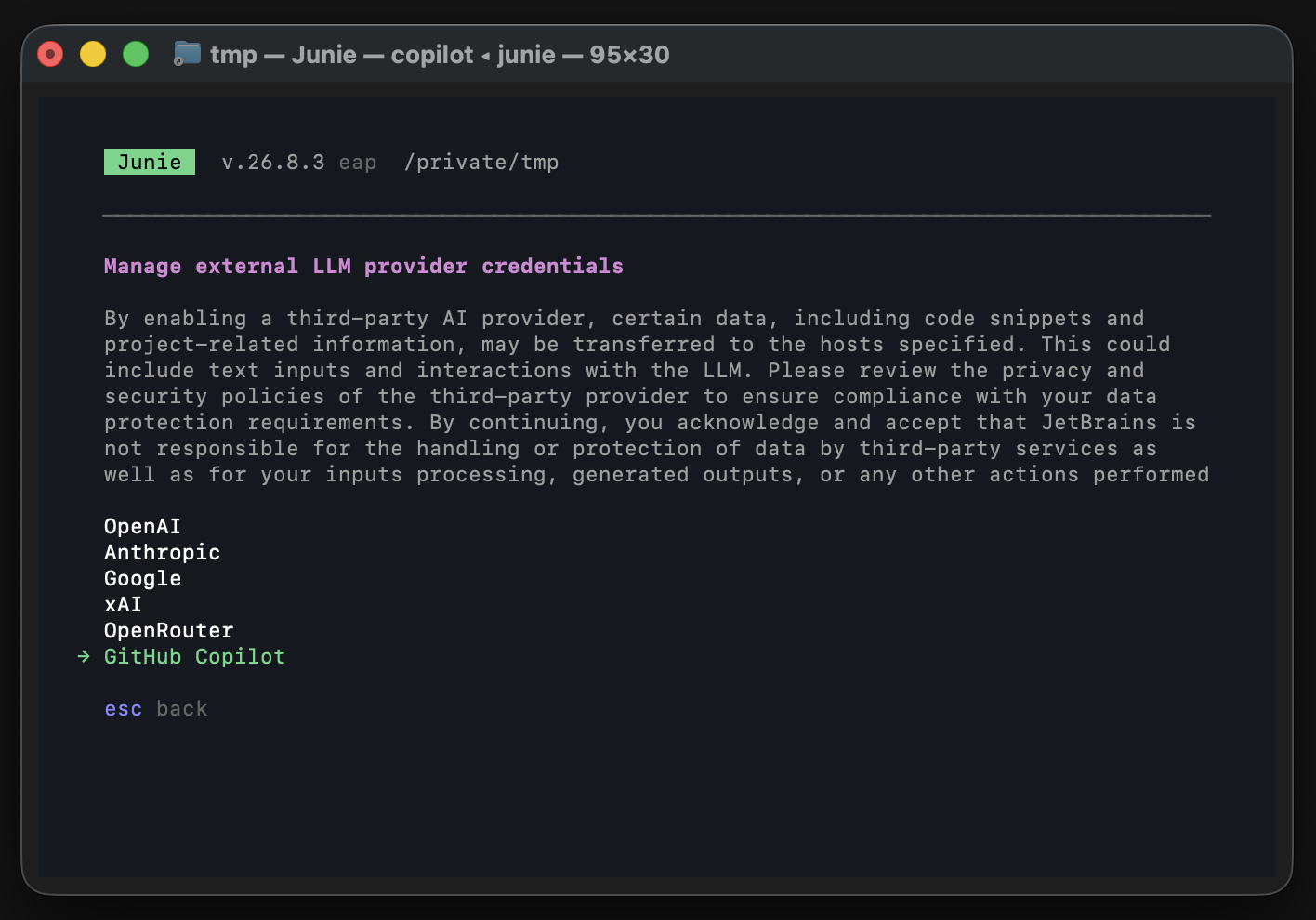
Select GitHub Copilot from the provider list.
Make sure GitHub Copilot is Enabled on the provider page. Junie CLI reuses the sign-in from your local Copilot CLI, so no separate sign-in step is required here.
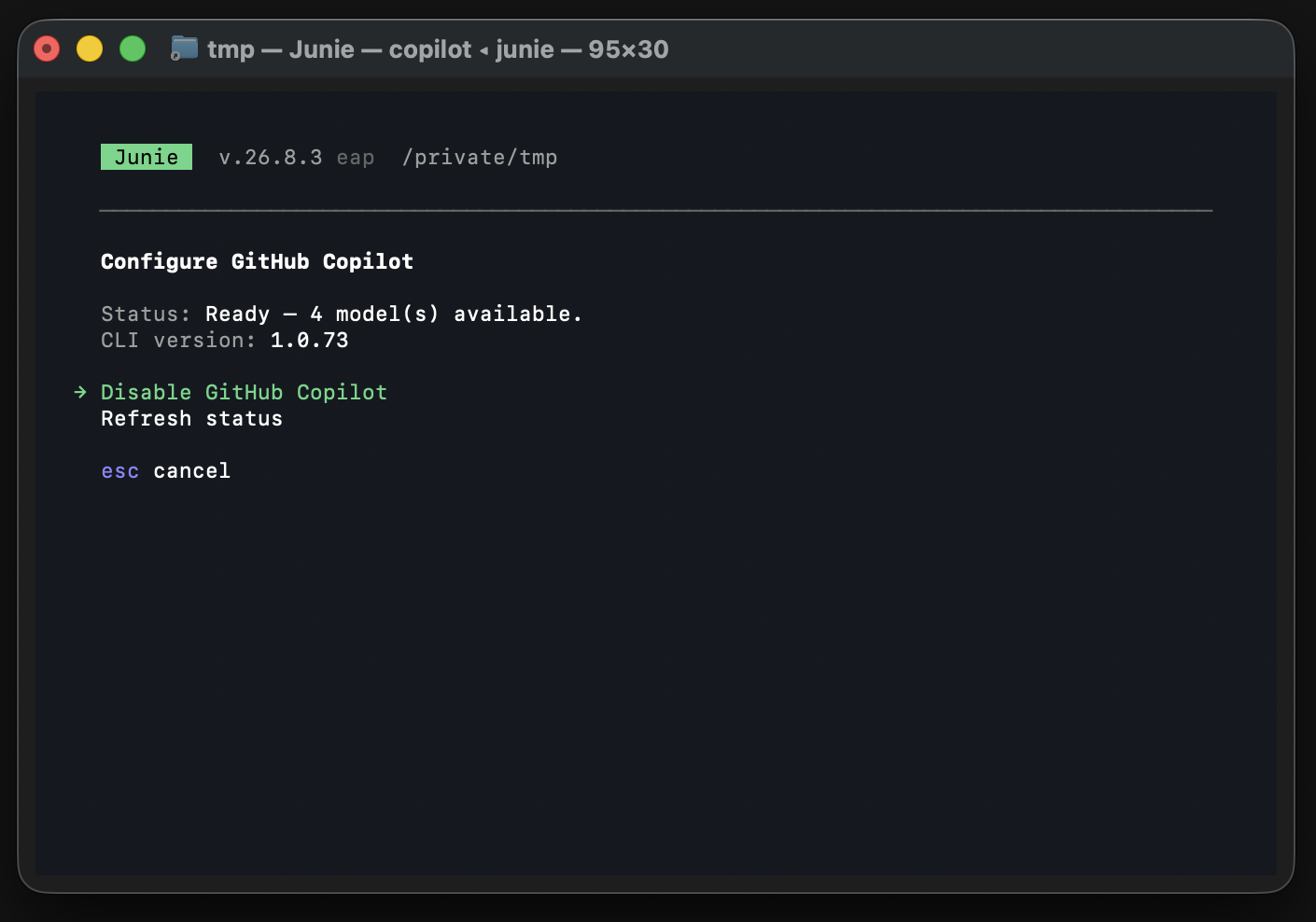
Return to Junie CLI in the terminal — the connection is now active.
Select a model
Once connected, run /model to see and switch between the available models:
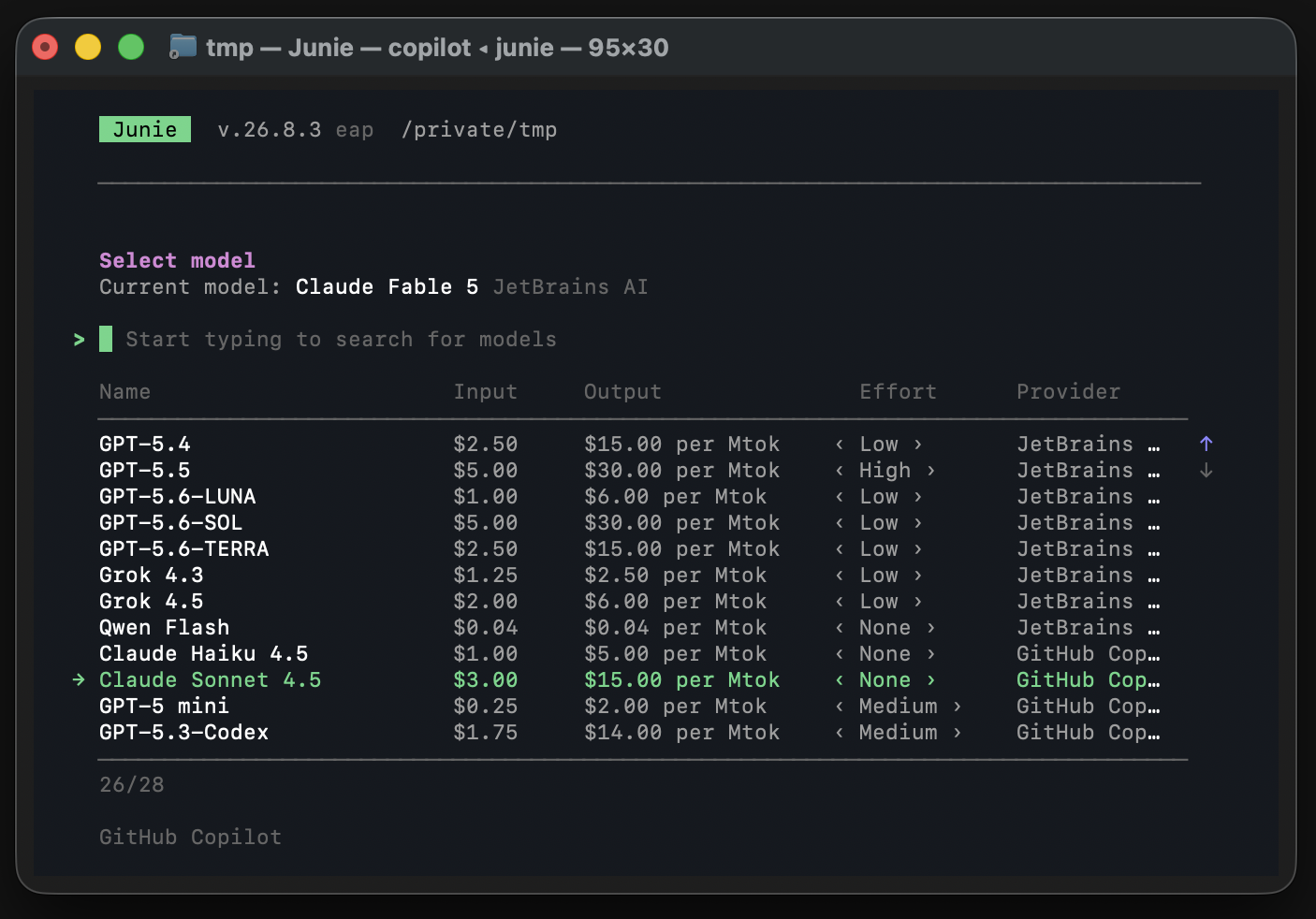
Models marked with GitHub Copilot GitHub Account are available through your Copilot subscription.
Use Copilot from an ACP client
When Junie asks for login and the ACP client supports terminal authentication, the authentication UI offers GitHub Copilot next to the JetBrains login options.
Prerequisites:
The
copilotCLI is on the agent'sPATH, version1.0.65or newer.A local browser is available if the CLI is not signed in yet.
Choose GitHub Copilot in the client's authentication UI.
If the Copilot CLI is not signed in, Junie runs
copilot login --web-flowand GitHub authorization opens in your browser. Complete it while the ACP connection stays open.Junie enables GitHub Copilot and selects one of your Copilot models.
Send a prompt. New sessions on this connection use the Copilot model; you can switch models with the client's model controls.
Authentication fails with an error when the CLI is missing or outdated, sign-in fails, no models are enabled, or the attempt exceeds five minutes. Fix the cause and choose GitHub Copilot again. Junie does not fall back to JetBrains quota.