OpenRouter
OpenRouter is a unified API that gives you access to models from multiple providers — including Anthropic, OpenAI, Google, xAI, and others — through a single API key.
Prerequisites
An OpenRouter account. Sign up at openrouter.ai if you don't have one.
An OpenRouter API key. Generate one from your OpenRouter dashboard.
Set up OpenRouter in Junie
Start Junie in your project directory:
junieRun the
/accountcommand and select Use your own API key.
Select OpenRouter from the provider list.

Paste your OpenRouter API key when prompted.
Select a model
Once connected, run /model to see the available models and select one:
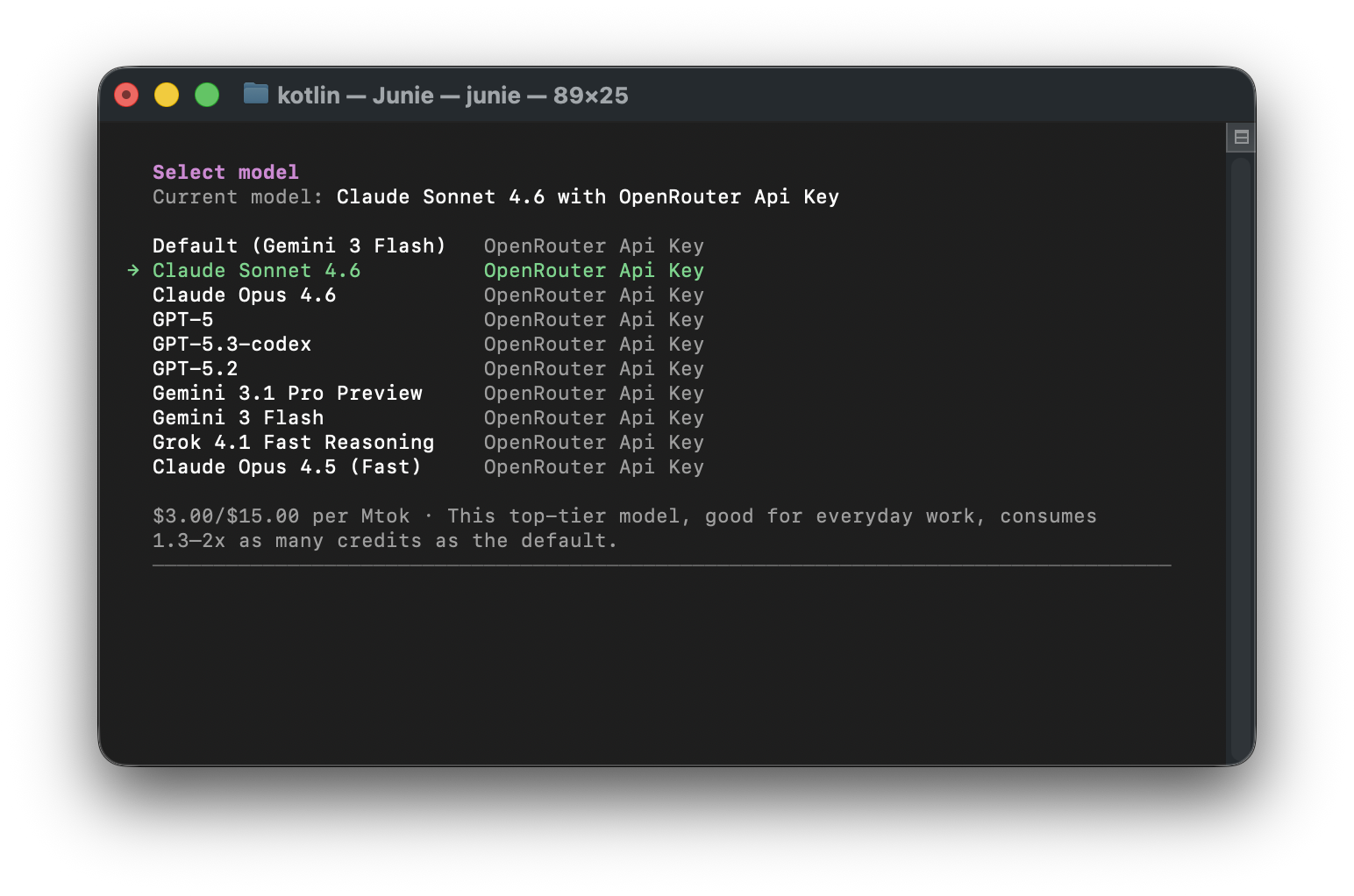
The model list shows models available through your OpenRouter key, along with pricing info. Use the arrow keys to navigate and press Enter to select a model.
Additional resources
23 October 2026