Code review agent
Junie's code review feature uses a tailored subagent with optimized resource consumption for code review tasks: instead of running a full agent session, it uses a more focused system prompt and a subset of read-only tools, focusing on the changed lines of code.
Use local code review when you want to get a quick sanity check before opening a pull request, review your own changes after a long coding session, or review your current branch against main.
How it works
To run a local review of code changes, Junie CLI:
Loads the relevant code diff according to the user-defined request scope.
Uses a focused prompt and toolset: the agent can open files and search the project to understand context, but it never edits files, runs builds or tests, creates files, or commits and pushes changes.
Follows your guidelines and skills: the agent reads project guidelines and any code-review-related agent skills and applies their instructions.
Supports follow-ups: the review runs as its own session that can be resumed, so you can ask follow-up questions such as "Is the fix I just pushed good enough?" without re-explaining the context.
Usage
Standard checks
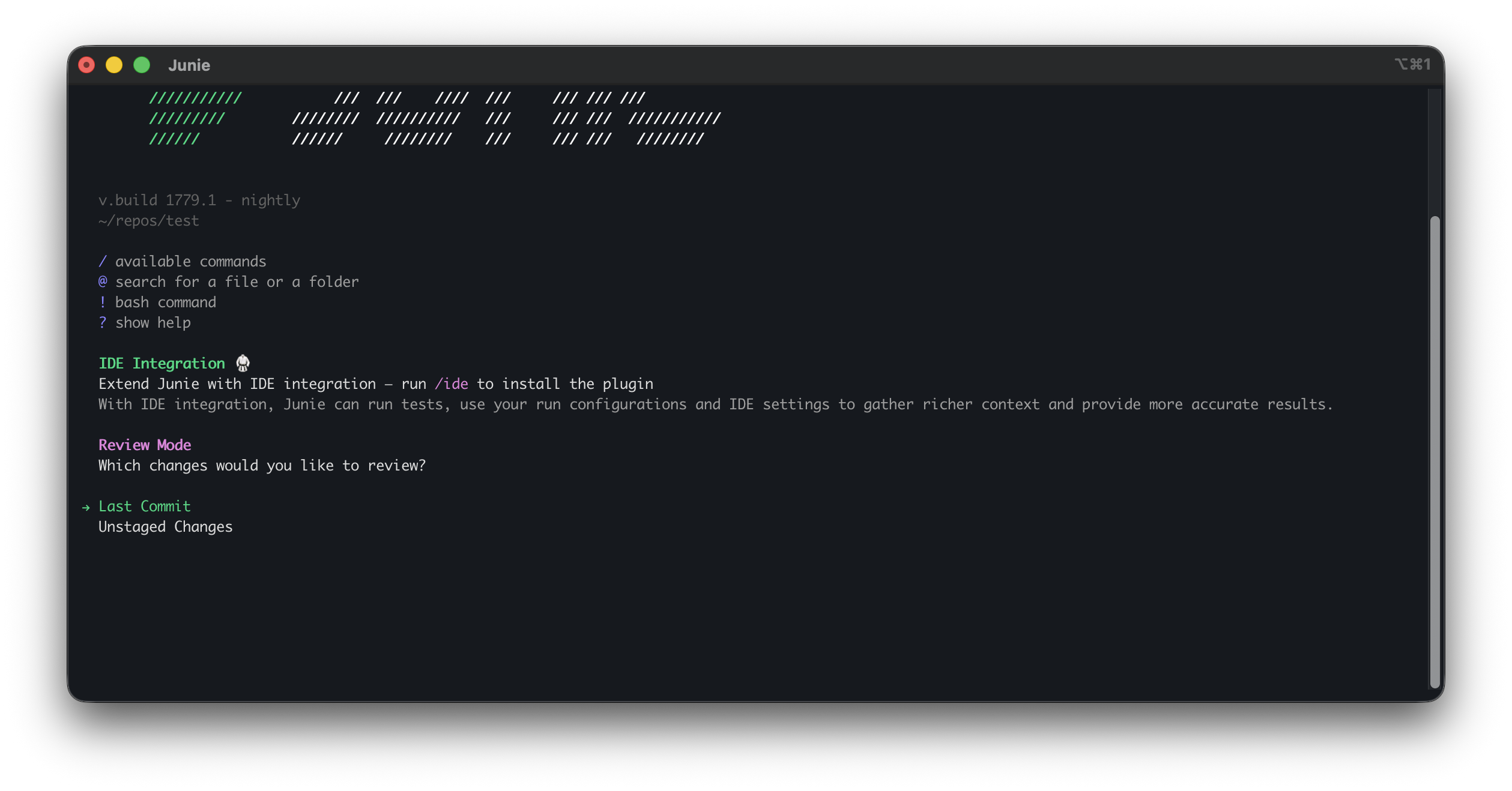
When you invoke the /review slash command without an argument, Junie CLI detects the Git state of your project and opens a wizard with available review targets:
Changes compared to main: compares your current branch against
main. Shown only when amainbranch exists and you are not currently on it.Last commit: reviews the changes introduced in the most recent commit.
Staged changes: reviews what you have added to the index. Shown only when the index is not empty.
Unstaged changes: reviews the code you have modified but not yet committed.
The wizard also has a text field below the list for any other target, so the offered options are a shortcut rather than a limit.
Specific revisions
You can name a commit, a branch to compare the current branch against, a revision range, or how many of the most recent commits to review right after the command:
Junie CLI asks a lightweight model to work out the target from your text and starts the review without showing the wizard. Staged and unstaged changes can be named the same way, for example /review my staged changes. If the target is unclear, Junie CLI asks you to pick one or type a target.
Custom instructions
You can scope the review to a specific concern or set of changes by adding plain-text instructions after the command:
Junie CLI will prioritize your instructions while still performing its standard review checks.
Navigating review results
Junie CLI presents the findings in a dedicated review screen where you can:
Browse the list of suggestions grouped by file.
View the relevant code context for each of the suggestions.
Accept or dismiss suggestions one by one, or select several suggestions and accept or dismiss them at once.
Critical findings, such as security vulnerabilities, crashes, data loss, or correctness issues that break functionality, are prefixed with a [CRITICAL] label. When a fix is simple and safe, Junie CLI includes a ready-to-apply code suggestion.
Closing the review screen finishes the review and returns you to the task screen, keeping the review as part of the same session history.
Also available in
Headless mode: Use the
--reviewflag with thejuniecommand in your terminal. You can optionally provide a natural language description to guide the review.# Review current changes in the repository junie --review # Review changes with specific instructions junie --review "Check for potential null pointer exceptions in the new logic" # Compare with a specific branch junie --review "Compare my changes with the develop branch"GitHub CI/CD pipelines: To trigger Junie's code review agent on opened or updated GitHub pull requests, use the Junie GitHub Action for automated code reviews. See the cookbook for details.